Static or WordPress — and who actually needs which
Both, usually. We edit in WordPress and serve a static copy when speed and security are non-negotiable.
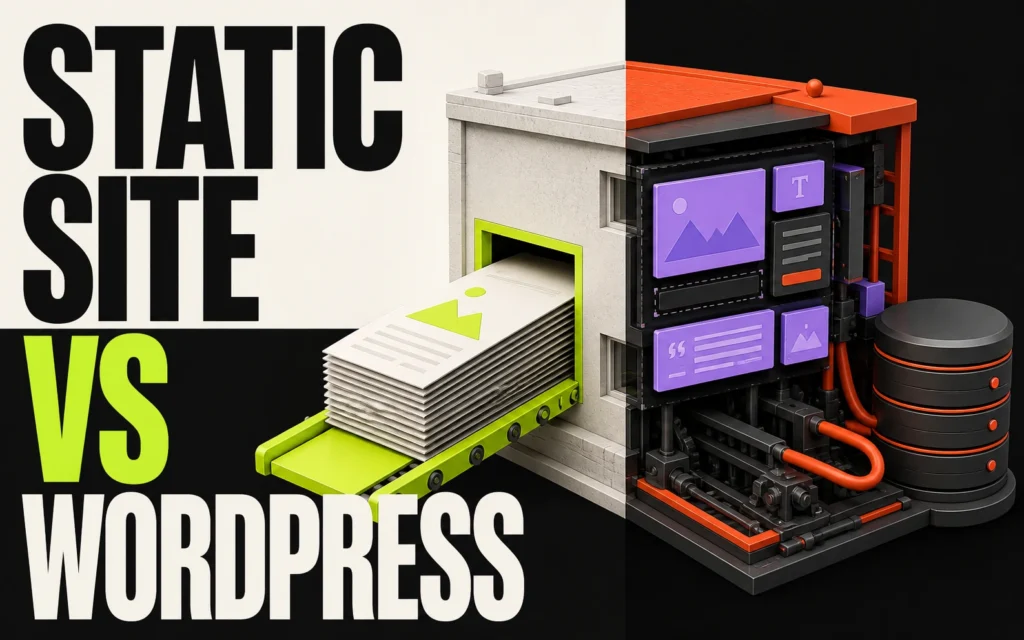
“Should we go static or stay on WordPress?” is usually asked as though it were one decision. It is two. One is where your team writes and edits. The other is what a visitor’s browser actually downloads. Once you separate them, the argument mostly dissolves — and for a lot of the sites we build, the honest answer is both.
The short answer
Your team edits in the WordPress admin they already know. When someone hits publish, the site is built out into finished files, and those files are what the public loads. Nothing queries a database on a page view. Nothing has to be defended on every request. The trade is that the site changes in deliberate releases rather than continuously — and for most brochure, service and portfolio sites, that is not a trade at all.
Pick by scenario
Marketing site, settled structure, a few editors → static — The content changes often, the templates do not. This is the sweet spot.
Anything a visitor logs into → dynamic WordPress — Accounts, memberships, courses, a basket. Personalised pages cannot be pre-built, because there is no single version of them.
Stock, prices or availability that must be right this second → dynamic WordPress — A publish step measured in seconds is still a publish step. If the number has to be live, don’t freeze it.
High-traffic launch, campaign spike or a site that gets attacked → static — Serving files scales in a way that running code on every request does not.
A large library of content published several times a day → depends on the build time — Worth measuring before you commit, not after.
Security: where the risk actually lives
This is the part most often argued on instinct, so it is worth looking at the numbers. Patchstack’s State of WordPress Security in 2026 recorded 11,334 new vulnerabilities across the WordPress ecosystem during 2025 — a 42% rise on the year before. The split is the interesting bit:
- 91% were in plugins and 9% in themes.
- Six were in WordPress core, and all six were rated low priority.
- 46% had no fix available from the developer at the moment they were disclosed publicly.
- For the heavily targeted ones, the median time to first exploit was around five hours.
Read that again: WordPress itself is not the problem. The extensions bolted onto it are, and the window between “a flaw becomes public” and “bots are trying it on your site” is shorter than a working day.
A static build changes the shape of that risk rather than pretending to abolish it. The public site is a set of files, so the plugins a scanner is hunting for are not sitting on the address it is scanning. Your editing install still exists and still needs keeping up to date — but it can live behind a login rather than on the open internet, which takes it out of the path of the automated, indiscriminate attacks that make up the bulk of the problem.
Speed, and what Google actually measures
Google scores real visits, not lab tests, at the 75th percentile of your traffic. To pass Core Web Vitals a page needs Largest Contentful Paint under 2.5 seconds, Interaction to Next Paint under 200 milliseconds, and Cumulative Layout Shift under 0.1.
Serving pre-built files removes an entire category of work from the first of those — there is no database query, no theme rendering and no plugin chain standing between the request and the response. It does nothing at all for the other two. INP and CLS are decided by the front-end you built: how much JavaScript runs on interaction, and whether images, fonts and embeds are given room before they arrive. A slow static site is entirely possible. Anyone who tells you otherwise is selling the delivery method, not the craft.
Cost and maintenance
Hosting finished files costs a fraction of a managed WordPress server, because there is nothing to run. There is also less to understand later: fewer moving parts, fewer things that can quietly stop working while nobody is watching.
Build cost is usually below an equivalent custom WordPress build — but not always, and not by a fixed amount. What decides the real scope is your content model and how many templates it needs, never the word “static”.
When static is the wrong call
- Logged-in experiences. Memberships, courses and accounts need a page assembled for one person, on request.
- Live inventory or pricing. If a number must be correct to the second, it cannot be baked in advance.
- Constant, urgent publishing. The publish step is automated, but it is not instant on a very large library.
- A team that needs to see a change live the moment they save it. That is a working-culture question as much as a technical one, and it is a fair reason to stay dynamic.
Who is doing the publishing?
This question changes the build more than the platform question does.
- Studio-led — for brands whose layouts stay put and who would rather we handled publishing and content changes. The fastest route to launch, and the tightest control over how it looks.
- Team-led — for marketing teams publishing often who need full control without calling us. Structured WordPress editing, several editors, and a documented handover you can take elsewhere.
Pros and cons at a glance
Static — pros
- No database queried on a page view
- Visitors never touch the content system
- Hosting costs a fraction of a managed server
- Handles traffic spikes without a scaling conversation
Static — cons
- Changes ship as releases, not instantly
- Forms, search and comments run through separate services
- Rules out anything personalised or logged-in
Dynamic WordPress — pros
- Everything is live the second it is saved
- Handles accounts, memberships and real-time data natively
- The widest pool of developers who can pick it up after us
Dynamic WordPress — cons
- A public attack surface that has to be actively maintained
- Performance depends on hosting, caching and plugin discipline
- More parts to understand, budget for and keep patched
FAQs
Can we still edit the site ourselves?
Yes. Team-led builds keep a structured WordPress editing experience, and publishing those changes to the live site is one automated step.
Does publishing take longer?
There is a publish step, but it is automated. Small sites update in seconds; a large content library takes a little longer.
What happens to forms and search?
They run through focused, secure services rather than a public WordPress install. We choose the right ones during discovery.
Can we start static and move to dynamic later?
Yes, and it is far easier in that direction. The content already lives in WordPress, so what changes is how it is served — not where it is kept.
How long does it take, and what does it cost?
Two to four weeks for a focused site with settled brand and content; four to seven where your team is publishing, there are more templates, or a look is being designed alongside. We quote after reading the brief, because the content model decides the real scope.
Next steps
- See how we deliver this: Static Site Builds.
- Need the dynamic version instead? Custom Website Design & Build.
- Not sure which side you fall on? Request an audit and we will tell you straight.
- Ready to talk it through? Start a project — every brief is read personally, and we reply within one working day.