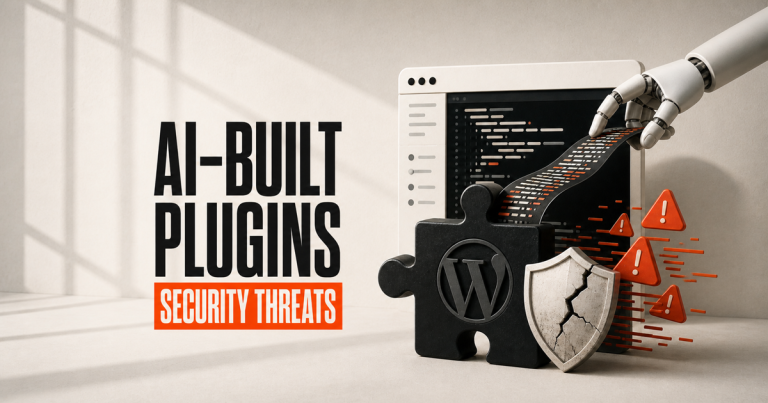
AI can write a plugin. It can’t secure one.
Plugin vulnerabilities are up 42%, and 91% of them are in plugins, not WordPress. Here is what is driving it.
Something has changed in the last eighteen months, and if you maintain WordPress sites for a living you have felt it before you saw a number attached to it. Plugin vulnerabilities are arriving faster, in more plugins, and a growing share of them are the kind of mistake nobody used to make — because nobody used to ship code they had not read.
Let’s be precise about the claim, though, because this topic attracts more heat than evidence. Vulnerability counts are up sharply and that is measured. AI-assisted development has become normal in the same window and that is measured. What nobody has published is a figure saying “X% of new plugin vulnerabilities came from AI-written code.” That study does not exist yet. What follows is the evidence that does exist, and it is enough to act on.
The numbers, first
Patchstack’s State of WordPress Security in 2026 is the closest thing the ecosystem has to a census. For 2025 it recorded:
- 11,334 new vulnerabilities across the WordPress ecosystem — up 42% on 2024.
- 91% in plugins, 9% in themes, and six in WordPress core — all six rated low priority.
- High-severity findings — the ones weaponised in automated mass attacks — up 113% year on year. More were found in 2025 than in the previous two years combined.
- 46% were disclosed publicly with no fix available from the developer.
- For heavily targeted flaws, the median time from disclosure to first exploitation was about five hours.
Six low-priority issues in the software itself, against eleven thousand in the things people bolt onto it. WordPress is not the weak point. The supply of extensions is.
Patchstack named the mechanism: vibe coding
The 2026 report singles out “vibe coding” as its own risk category — developers using a language model to generate plugin code and shipping it without being able to audit what the model wrote. Its blunt observation is that when the person publishing the code cannot review it for security problems, the vulnerability goes live silently and stays there until something breaks.
It also notes the trend is accelerating rather than passing: agencies now generate plugins on demand, with WordPress supplying the stable back end underneath.
Worth noting that AI is arming both sides. The same report describes attackers using models to find vulnerabilities autonomously, while maintainers are buried in “AI slop” — low-quality, machine-generated security reports that consume the review time real disclosures need.
What the research says about AI-written code
Veracode has been benchmarking this directly, and its Spring 2026 update is the most useful data point available. Testing code generated across a large field of models against known weakness categories, with no explicit security instruction given:
- Around 45% of generated code contained a known security vulnerability.
- The security pass rate has been stuck near 55% for two years, across model generations.
- Model size and newness barely move it. Performance clusters at roughly the same mark regardless of which flagship you use.
- Meanwhile functional correctness now exceeds 95%.
That last pair is the whole story. The gap between “code that works” and “code that works securely” is not closing — it is widening. A model will hand you something that passes every test you thought to write, demos perfectly, and is wrong in a way you were never going to notice by using it.
The per-weakness breakdown is where it gets uncomfortable, because the failures are not evenly spread:
- Cross-site scripting (CWE-80): a 15% pass rate. Models get this wrong roughly five times out of six.
- Log injection (CWE-117): 13%.
- SQL injection (CWE-89): 82% — much better, and still one in five.
- Insecure cryptography (CWE-327): 86%.
Now line that up against Patchstack’s list of the most-exploited vulnerability types in WordPress, where unauthenticated stored XSS appears repeatedly. The single weakness these tools are worst at is one of the ones attackers use most.
One honest caveat: Veracode’s tests cover Java, JavaScript, Python and C#. WordPress plugins are PHP. The finding is strongly suggestive rather than a direct measurement of this ecosystem, and we would rather say so than pretend otherwise.
The security issues, named
These are the categories that actually show up in WordPress plugin disclosures. Each one is described by what an attacker gets, because that is the part that matters to you.
- Broken access control — Patchstack’s most-exploited category. A function exists, but nothing checks whether you are allowed to call it. In WordPress terms, a missing capability check or a nonce that is never verified.
- Authentication and authorisation bypass — the attacker becomes a logged-in user, or an administrator, without credentials.
- Privilege escalation — a subscriber-level account, or a form submission, ends up with admin rights.
- Unauthenticated stored cross-site scripting (XSS) — a stranger writes JavaScript into your database that then runs in your administrators’ browsers. Session theft, silent account creation.
- SQL injection — user input reaches the database as instructions rather than data. Reads your entire customer table; sometimes writes to it.
- Arbitrary file upload — a PHP file lands in your uploads directory and can then be requested directly. This is a full site takeover in two steps.
- Remote code execution (RCE) — the attacker runs their own PHP on your server. The end of the severity scale.
- PHP object injection / insecure deserialisation — untrusted input is unserialised, letting an attacker assemble objects that do something useful for them on the way in. Frequently chains into RCE.
- Local file inclusion (LFI) — a path parameter is trusted, so files off the site are read or executed.
- Sensitive information exposure — an endpoint hands out configuration, credentials, API keys or tokens to anyone who asks.
- Cross-site request forgery (CSRF) — your logged-in administrator visits a page and unknowingly performs an action on your site.
- Supply-chain compromise — the plugin was fine; the update was not. Covered separately below, because it is the newest and the nastiest.
Notice how many of these are not clever. Most are a missing check — the exact category of mistake made by code written quickly by something that does not know your permission model.
What it looked like in the wild
Named cases, with the mistake stated plainly. We are not claiming any of these were AI-generated — that is not public information for any of them. They are here because they show the shape of the failures.
SureTriggers / OttoKit — CVE-2025-3102, CVSS 8.1, 100,000+ installs. A missing empty-value check on the secret_key parameter. If the plugin was activated but not yet configured with an API key, an attacker sending an empty authorisation header authenticated successfully — and could create administrator accounts. Actively exploited. One absent conditional between a stranger and full control of the site.
Gravity SMTP — CVE-2026-4020, ~100,000 installs. A REST endpoint registered with a permission callback that unconditionally returned true. Anyone could retrieve the plugin’s full system report — configuration, API keys, secrets and OAuth tokens for connected email services. Rated only medium severity, and Wordfence has still blocked over 17 million exploit attempts, peaking above four million requests in a single day in June 2026. Affected sites were told to assume compromise and rotate every credential.
Everest Forms Pro — CVE-2026-3300, CVSS 9.8, 4,000+ installs. The Complex Calculation feature evaluated user-supplied input, so a value containing a quote followed by PHP executed on the server. Unauthenticated remote code execution, exploited from April 2026. Four thousand installs is a small plugin — and it did not save anyone.
Patchstack’s wider most-exploited list is a roll call of names you will recognise from real client sites: LiteSpeed Cache, tagDiv Composer, GiveWP, FunnelKit Automations, WooCommerce Payments, Startklar Elementor Addons and Ads Pro. Popularity is not safety. It is target selection.
The newest problem: poisoned updates
Through 2026 a different attack has become common, and it defeats the advice everyone gives. The plugin is legitimate. The update is not.
- Advanced Responsive Video Embedder (CVE-2026-18072) was backdoored — a hard-coded token granting unauthenticated administrative access, plus a hidden admin account. Around 20,000 sites affected.
- ShapedPlugin’s pro plugins were backdoored in a supply-chain attack in June 2026.
- BdThemes plugins were compromised in August 2026 via poisoned JSON that created rogue administrator accounts.
- The command-and-control infrastructure links the BdThemes, Advanced Responsive Video Embedder and OptinMonster incidents — one coordinated campaign, not three coincidences.
“Keep everything updated” is still correct advice. It is no longer sufficient advice. Vendor trust is now part of the threat model, which is a genuinely uncomfortable thing to have to tell a client.
Why the ecosystem multiplies the problem
AI lowered the cost of producing a plugin to almost nothing. Three existing features of the ecosystem then turn that into the numbers above.
There is no security gate on the way in. Nothing audits a plugin for authorisation flaws before it reaches your site. Publishing has always been open — that openness is a large part of why WordPress won, and it was designed for a world where writing a plugin took effort.
Disclosure often arrives before the fix. 46% of 2025’s vulnerabilities were public with no patch available, and the majority of plugin developers do not patch before disclosure. So there is a window in which the flaw is documented and you are defenceless.
That window is about five hours. Automated scanning means “we’ll update on Monday” is not a maintenance policy, it is a gamble that nobody pointed a bot at your address over the weekend.
What we actually do about it
Our position has not changed because of any of this — it has just been vindicated by it.
- A curated stack, with no abandoned plugins and no hidden bloat. Every extension on a site we build is there because it earned its place, and you can be told who maintains it. The most reliable way not to inherit a plugin vulnerability is not to install the plugin.
- Build it rather than bolt it on, when the plugin is doing something small. A single-purpose plugin carrying an admin interface, a settings API, a REST endpoint and an update mechanism is a lot of attack surface to import for one feature.
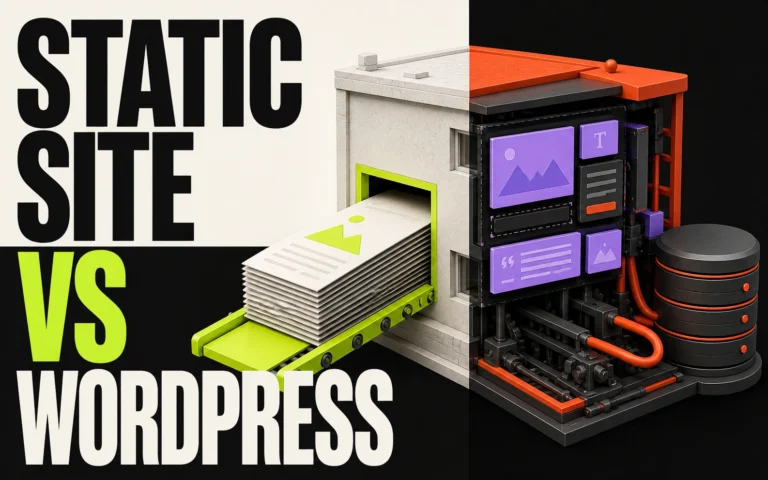
- Serve the site statically where it suits the project. If visitors are loading pre-built files, the plugins a scanner is hunting are not sitting at the address being scanned. It does not excuse you from patching the editing install — it takes it out of the path of indiscriminate automated attacks.
- Review anything AI writes as if a stranger wrote it — because functionally, one did. Nothing goes into a client build unless someone here could have written it themselves and can say why it is correct.
What to do this week
- Count your plugins. Then, for each, answer: who maintains it, when did it last update, and what breaks if we remove it? Anything failing all three should go.
- Delete deactivated plugins. Deactivated is not uninstalled — the files are still on the server and can still be reachable.
- Turn on automatic updates for plugins you trust, and put monitoring in place for the rest. Five hours is not a window a human calendar can cover.
- Audit your administrator accounts, and check for ones you do not recognise. Rogue admin creation is the common endpoint of nearly every case above.
- Rotate credentials held inside plugins — SMTP, payment, CRM and analytics keys. If a plugin has leaked them, the leak is silent.
FAQs
Is AI definitely causing the rise in plugin vulnerabilities?
Not proven, and we will not claim it is. What is documented: vulnerabilities rose 42% in a year, Patchstack names vibe-coded plugins as a distinct risk, and independent testing puts roughly 45% of unguided AI-generated code as carrying a known flaw. The direction of travel is clear even though the causal number does not exist.
Does this mean we should avoid plugins?
No — it means running few of them, chosen deliberately. Plugins are why WordPress can do what it does. The risk is volume and inattention, not the concept.
Is WordPress itself unsafe?
No. Core recorded six vulnerabilities in 2025, all low priority. The risk is almost entirely in what gets added.
We keep everything updated. Are we covered?
Better than most, but no. Updating does not help when disclosure precedes the patch, and it actively hurts in a supply-chain compromise where the update is the attack. You also need a small stack and a way to be told when something is wrong.
Do you use AI to write client code?
Yes, inside the build and under review, never as an unchecked source of shipped code. We wrote about exactly how in a separate piece.
Next steps
- Want to know what is actually running on your site? Request an audit — we will list every plugin, who maintains it, and what we would remove.
- Reduce the attack surface entirely: Static Site Builds.
- Rebuilding on a curated stack: Custom Website Design & Build.
- Talk it through: Start a project — every brief is read personally, and we reply within one working day.